How DART converts PDFs to accessible HTML
A transparent, open-source pipeline. No black box. No vendor lock-in.
Step 1 — Dual Text Extraction
Each page is processed through two parallel extraction methods — pdftotext for native text and OCR for scanned content. Tables, images, and math expressions are extracted separately. The best result from each method is used.
Step 2 — AI Structure Inference
Each page is sent to Claude for semantic analysis — identifying headings, paragraphs, tables, lists, figures, and reading order. Financial tables are reconstructed as proper HTML with headers, scope attributes, and colspan for multi-level layouts.
Step 3 — Accessible HTML Generation
Structured blocks are stitched across pages, then converted to semantic HTML5 with ARIA landmarks, heading hierarchy, lang attributes, and keyboard-navigable content. Images receive AI-generated alt text and figcaptions.
Before & After
A photographed book page → accessible, semantic HTML in seconds.
Before — Scanned Book Photo
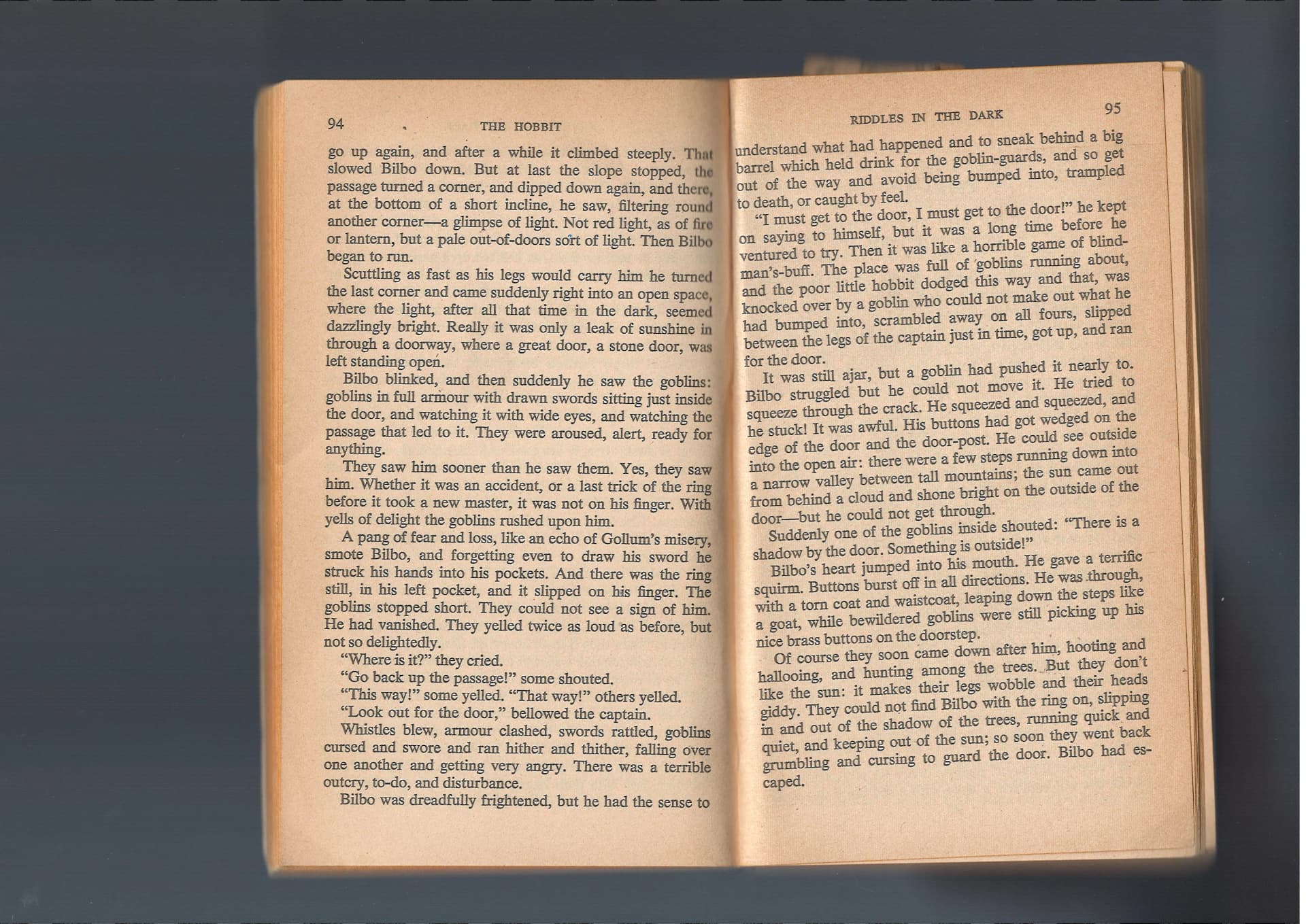
- ✗ No text layer — just pixels
- ✗ No headings, no structure
- ✗ Screen readers can't read it
- ✗ Not searchable or selectable
After — DART Accessible HTML
The Hobbit
by J.R.R. Tolkien
Chapter V: Riddles in the Dark
When Bilbo opened his eyes, he wondered if he had; for it was just as dark as with them shut. No one was anywhere near him. Just imagine his fright! He could hear nothing, see nothing, and he could feel nothing except the stone of the floor.
Very slowly he got up and groped about on all fours, till he touched the wall of the tunnel; but neither up nor down it could he find anything: nothing at all, no sign of goblins, no sign of dwarves...
Semantic HTML with headings, ARIA landmarks, keyboard navigation, dark mode, and skip links
- ✓ Semantic h1–h6 heading hierarchy
- ✓ Full text — searchable and selectable
- ✓ Screen reader compatible
- ✓ Dark mode, font controls, skip links